
Tunable: Music Practice Tools
AffinityBlueMusic & Audio
4.7308.00 Reviews
- Version
- 2.6.6
- Installs
- 50.00K
- Age Rating
- Everyone
Screenshots
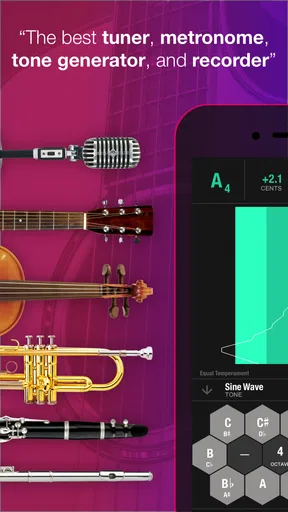
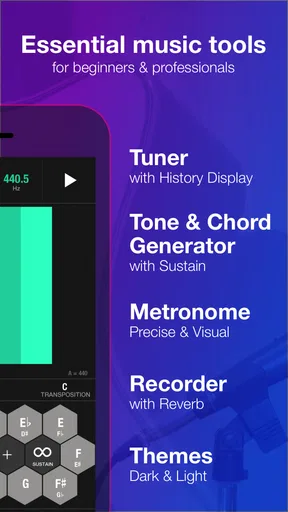
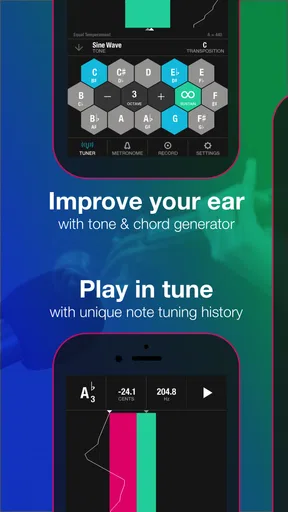
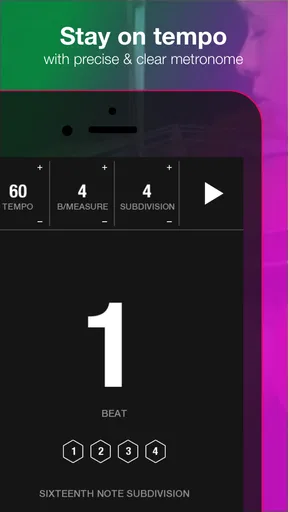
Our Review of Tunable: Music Practice Tools
 Analysis by Appyee
If you’re opening a music toolkit for the first time, the main question is whether it can help you make a useful improvement today, not whether it has the longest feature list. Tunable: Music Practice Tools brings several common practice jobs—checking pitch, keeping time, recording, and listening to a sustained note—into one app. I’d approach it as a compact aid for focused sessions rather than a substitute for lessons or a complete practice plan.
What to expect from a musician’s toolkit
This is a Music & Audio app from AffinityBlue, and its appeal is practical: you can move between a tuner, metronome, recorder, and drone without treating each task as a separate setup. That combination is especially handy when you switch between tuning an instrument and working through a short passage. The app has a 4.7 average from around 2,600 ratings, which suggests that many users find the toolkit useful, though a rating can’t tell you whether its workflow suits your instrument or routine.
The first-time user should expect visual and listening tools, not a guided music course. The tuner helps you check a note, the metronome gives your practice a steady pulse, and the recorder lets you hear what you actually played. The drone is useful for holding a reference pitch in your ear. These tools can support a practice goal, but deciding what to practise and how to judge musical expression still takes your own attention, a teacher’s guidance, or both.
Getting set up without overthinking it
After installing, I’d start with one immediate need rather than exploring every tool at once. If your instrument is out of tune, open the tuner and play one note at a time in a reasonably quiet place. If you’re working on timing, go straight to the metronome and choose a tempo slow enough to play accurately. This simple approach makes the first session feel manageable and helps you learn where the tools are by using them, rather than browsing menus without a purpose.
Tunable is listed at $6.99, is rated for Everyone, and its current version is 2.6.6, with iOS 12 as the minimum operating-system requirement. It has been available since March 27, 2013, and has passed 50,000 installs. Those details make the purchase decision fairly clear: this is a paid utility, not something I’d pick up expecting a free trial experience. Before buying, think about whether you will reach for its tools often enough to justify paying for a dedicated app, especially if you already have a tuner or metronome you like.
Your first useful win: tune, then check the sound
A reassuring first success is tuning one open string or another steady note, then playing it again after the tuner indicates that it is close. The live pitch graph gives you feedback as you adjust, rather than leaving you to guess whether the note is sharp or flat. I’d still play the note with a consistent attack: a forceful or uneven sound can make it harder to judge what the display is telling you. Treat the visual reading as guidance and listen as well.
For a beginner, that small routine can make practice less frustrating: tune one note, repeat it, and notice whether your ear can recognize the difference. For someone more experienced, the same tuner can be a quick check before rehearsal or a recording. It is a useful distinction: the app can help you identify a pitch, but it cannot make the physical adjustments to your instrument or guarantee that every note in a performance will be in tune.
Making the other tools work together
The metronome is most helpful when you use it to solve a specific timing problem, not simply because a click is available. I’d begin with a passage that tends to rush, set a comfortable pulse, and focus on placing the difficult notes evenly. Once that feels steady, you can change the tempo gradually. The option to work with different time signatures and subdivisions gives you room to practise more than a plain, even beat, although choosing the right setting is still your responsibility.
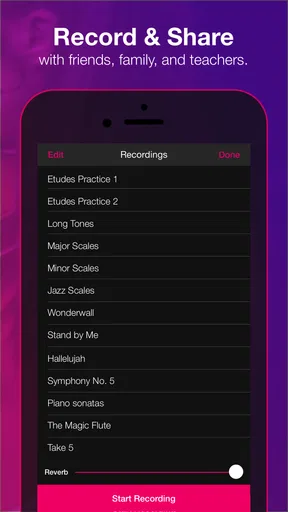
The recorder offers a different kind of feedback. Record a short phrase, listen back once for rhythm and once for tone, then choose one concrete thing to adjust. That is more actionable than replaying a whole session and judging yourself vaguely. If you teach yourself, this can reveal habits that are easy to miss while playing; if you have a teacher, a short excerpt can make it easier to discuss a specific passage. The drone can complement this by giving your ear a sustained pitch to compare against, especially when practising scales or intonation.
Common points of confusion and realistic limits
A tuner display can feel definitive, but it is only one part of listening. A note may settle differently after its initial attack, and a pitch graph is not a verdict on tone, phrasing, or whether a musical line sounds convincing. I’d use it to build a reliable starting point, then put the phone aside for stretches of playing where listening to the instrument matters more than watching a screen.
Likewise, the metronome’s flexibility can be a help or a distraction. If you spend more time changing subdivisions and sounds than playing, simplify the setup and return to the passage. The original review found the available metronome sound customization limited, so players who need a very particular click may prefer a dedicated metronome with the sound choices they want. The recorder is useful for immediate review, but recording yourself can also make a practice session feel evaluative; keep the clips short and focus on one question at a time.
Who will get the most from it?
I’d recommend Tunable to players who regularly need more than one basic practice aid and like keeping those tools together. It is a sensible fit for someone learning an instrument, a returning player rebuilding a routine, or a musician who wants a quick pitch check and a way to review short recordings. With 308 written reviews alongside its broader rating history, it has a visible user base, but the best test is whether its particular set of tools matches the way you practise.
It may be the wrong choice if you only need a free, occasional tuning check, if you prefer a physical metronome, or if your practice depends on a specialized tool that this general-purpose set does not replace. It also won’t design a curriculum, diagnose technique, or provide the judgment of a teacher. Compared with separate tuner, metronome, and recorder apps, its advantage is having several tasks together; separate apps can be better when you need a narrower tool with a workflow tailored to one job.
A practical routine for an ordinary practice day
Imagine you have a short window before leaving for rehearsal. I’d tune first, use the metronome on the passage that tends to speed up, and record only that passage once it feels steadier. Then I’d listen back for one issue—perhaps uneven timing—rather than trying to assess everything at once. If intonation is the focus, I’d use a drone as a reference and alternate between listening to it and playing the phrase. This sequence turns several features into a routine with a clear purpose, instead of turning the app into another thing to fiddle with.
A small but useful habit is to decide what you want to learn before pressing record. For example, ask whether the ending stays in time or whether a repeated note sounds consistent. When you replay the clip, listen for that point first. This keeps recording from becoming a general self-critique and makes it easier to act on what you hear. Another useful trade-off is to keep the phone visible for tuning and metronome work but move your attention away from the display once you are playing a phrase; relying on the screen throughout can pull focus from sound and posture.
First Impressions
The first thing I noticed when I opened Tunable was its sleek and intuitive interface. It's user-friendly, so you don't have to waste time figuring out where everything is. The design is clean, with a calming color scheme that somehow makes the daunting task of practice a bit more inviting.
Features That Stand Out
Tunable is like a Swiss Army knife for musicians. Here’s a breakdown of some of the key features:
- Tuner: The tuner is incredibly precise, which is crucial when you're aiming for perfect pitch. It displays a real-time pitch graph, showing you exactly how close you are to the target note.
- Metronome: The metronome is customizable with various time signatures and subdivisions. The ability to set different tempos for practice is a game changer.
- Recorder: Recording yourself is one of the best ways to improve, and Tunable makes it easy. The app allows you to record and review your practice sessions right away.
- Practice Tools: One unique feature is the "Drone" tool, which plays a sustained pitch to help you tune your ear to different notes. It’s perfect for ear training.
The User Experience
Using Tunable feels natural. The app doesn’t overwhelm you with options, but rather guides you seamlessly through its features. Whether you're tuning a violin or practicing scales on a saxophone, the app adapts to your needs. I particularly loved the visual feedback from the tuner—it’s satisfying to see the needle hit dead center when you nail a pitch.
Performance and Integration
The app runs smoothly without any glitches, which, as a musician, is something I greatly appreciate—there's nothing worse than a laggy app when you're in the zone. Plus, it integrates well with other music apps. You can export your recordings easily, making it a handy tool for sharing your progress with teachers or bandmates.
Room for Improvement?
No app is perfect, and while Tunable is impressive, there are a couple of areas where it could improve. For instance, adding a feature for sharing practice logs directly with teachers could enhance its utility for students. Also, a few more customization options for the metronome sounds would be a nice touch.
Final Thoughts
Overall, Tunable: Music Practice Tools is an invaluable resource for musicians at any level. It’s not just an app—you can think of it as your personal practice assistant that fits right in your pocket. Whether you're just starting out or you’ve been playing for years, this app can help you refine your skills and make your practice sessions more effective.
Ready to take your music practice to the next level? Give Tunable a try. It’s available for both Android and iOS, and trust me, it’s worth every penny. Happy practicing!
Verdict
Strengths of Tunable: Music Practice Tools
- User-friendly interface simplifies navigation.
- Variety of tuning options for different instruments.
- Built-in metronome enhances practice sessions.
- Customizable settings tailored to user needs.
- High accuracy in pitch detection and tuning.
Limitations of Tunable: Music Practice Tools
- Limited free features; many require purchase.
- Occasional app crashes disrupt usage.
- No offline mode for metronome feature.
- Interface may feel cluttered on smaller screens.
- Updates can be slow to roll out new features.
Similar Picks in This Category
View All
YouTube Music
Google LLC4.4

Samsung Music
Samsung Electronics Co., Ltd.3.8

Spotify: Music and Podcasts
Spotify AB4.3

JioSaavn - Music & Podcasts
Saavn Media Limited4.3

Lark Player:Music Player & MP3
Lark Player Studio - Music, MP3 & Video Player4.6

StarMaker: Sing Karaoke Songs
SKYWORK AI PTE. LTD.4.3
Frequently Asked Questions
What features does Tunable offer for music practice?
Tunable provides a range of features tailored to enhance music practice. These include a chromatic tuner for precise pitch detection, a tone generator, metronome, and recording capabilities. Users can adjust the metronome tempo and time signatures, while the tone generator supports multiple waveforms. This suite of tools is ideal for musicians seeking to refine their skills.
Is Tunable suitable for beginners?
Yes, Tunable is designed to be user-friendly, making it suitable for beginners. The interface is intuitive, allowing new musicians to easily navigate the app. With clear visual feedback and customizable settings, beginners can learn to tune their instruments and practice rhythm without feeling overwhelmed by complex features.
How accurate is the chromatic tuner in Tunable?
Tunable's chromatic tuner is highly accurate, providing precise pitch detection that is essential for both amateur and professional musicians. It uses advanced algorithms to ensure tuning precision, and the visual feedback helps users make fine adjustments. This accuracy makes it a reliable choice for ensuring instruments are perfectly in tune.
Can I use Tunable without an internet connection?
Yes, Tunable can be used offline. Once downloaded, all features, including the tuner, metronome, and tone generator, are accessible without an internet connection. This makes it convenient for practice sessions in locations where connectivity may be limited, ensuring uninterrupted use of the app's tools.
What devices are compatible with Tunable?
Tunable is available for both Android and iOS devices, supporting a wide range of smartphones and tablets. The app is optimized for performance across various device specifications, ensuring smooth operation and responsive features. Users should check the app store for specific OS version requirements to ensure compatibility.
